Edit an Offering
You can edit the details of an offering.
For a more detailed explanation of the offering settings and features, see Creating an Offering.
Sign in as described in Signing In To the Partner Portal and navigate to the Offerings tab.
The Offerings page appears.
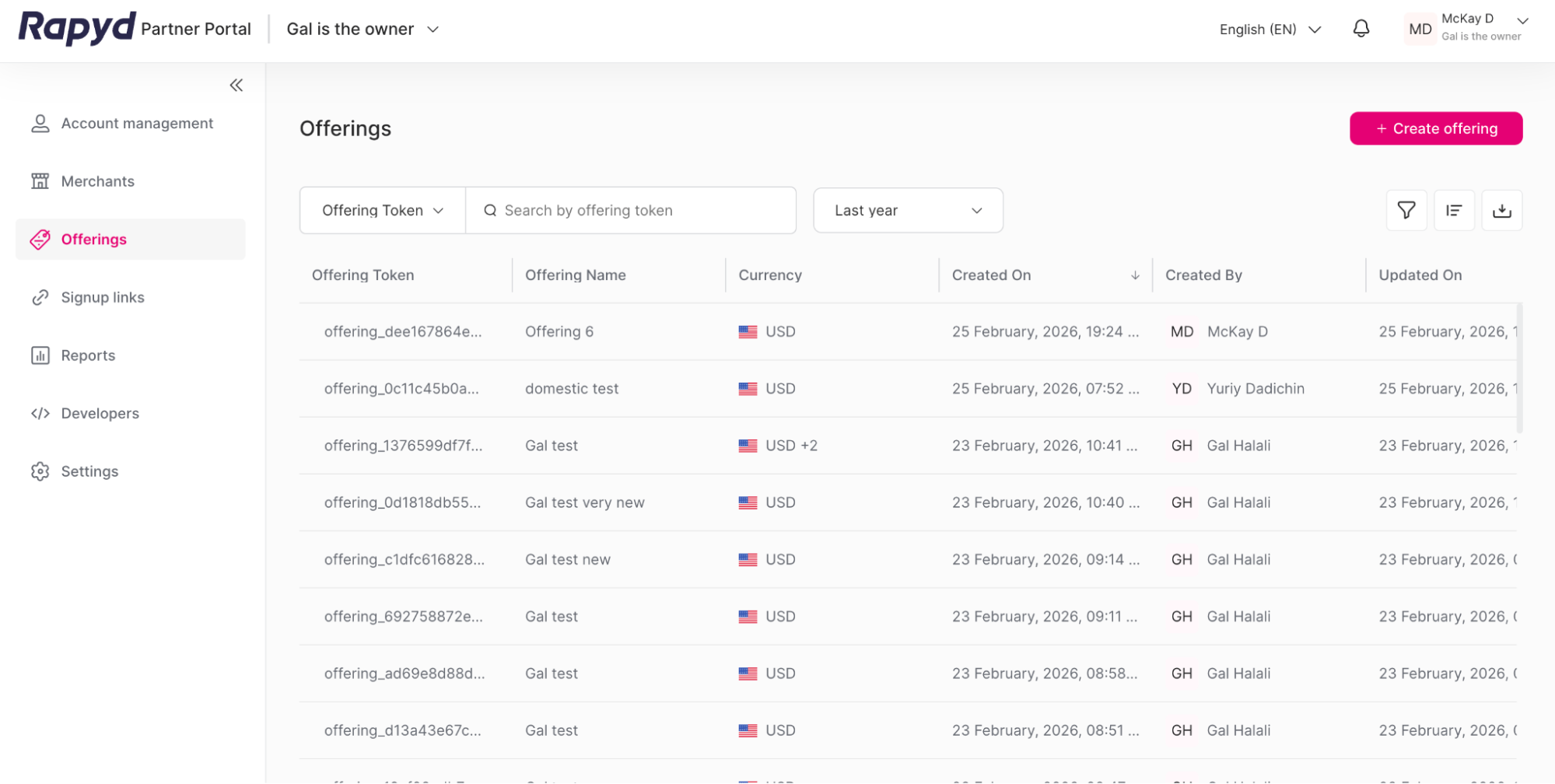
Navigate to the row of the offering that you want to view.
Click the Edit icon.
Note: An Offering can only be edited if it is not associated with a merchant or a sign-up link. To edit an offering that is associated with a merchant, navigate to the merchant profile and edit the offering there.

(Optional) Click on the row of the offering you want to view.
The Offering details page appears.
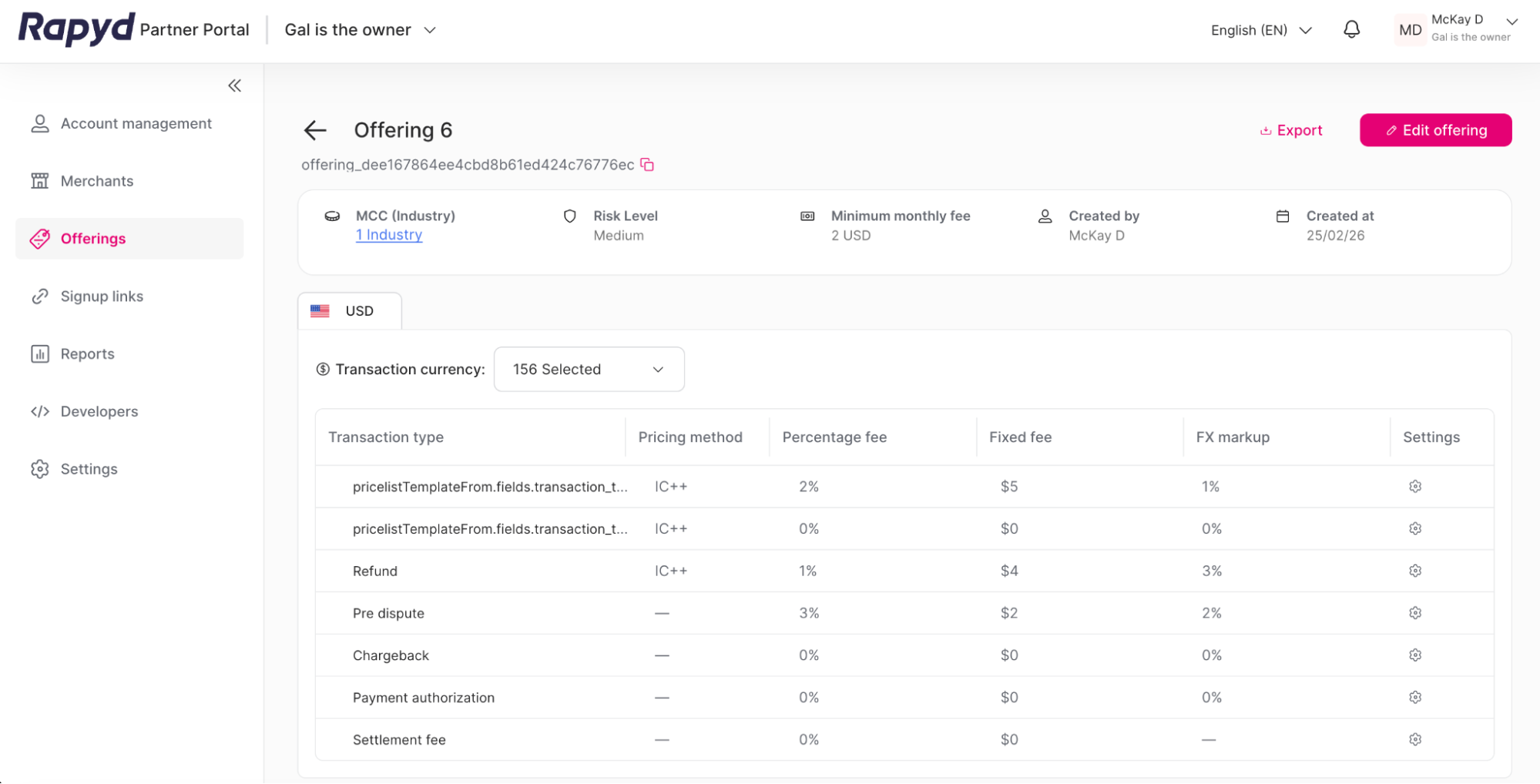
Click the Edit offering button.
The Edit offering page appears.
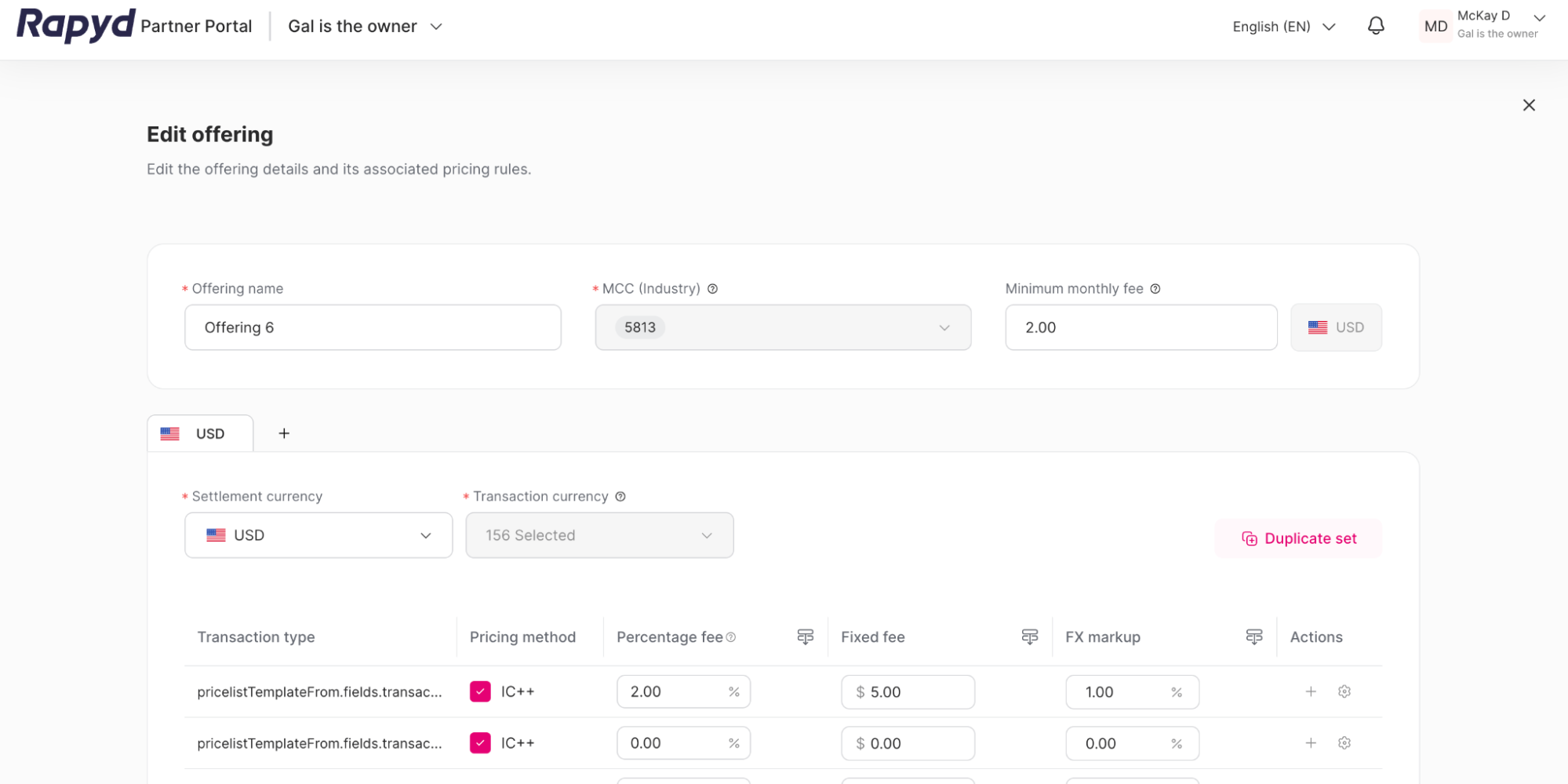
You can edit the offering details:
Offering name
Minimum monthly fee
Settlement currency
Pricing set details.
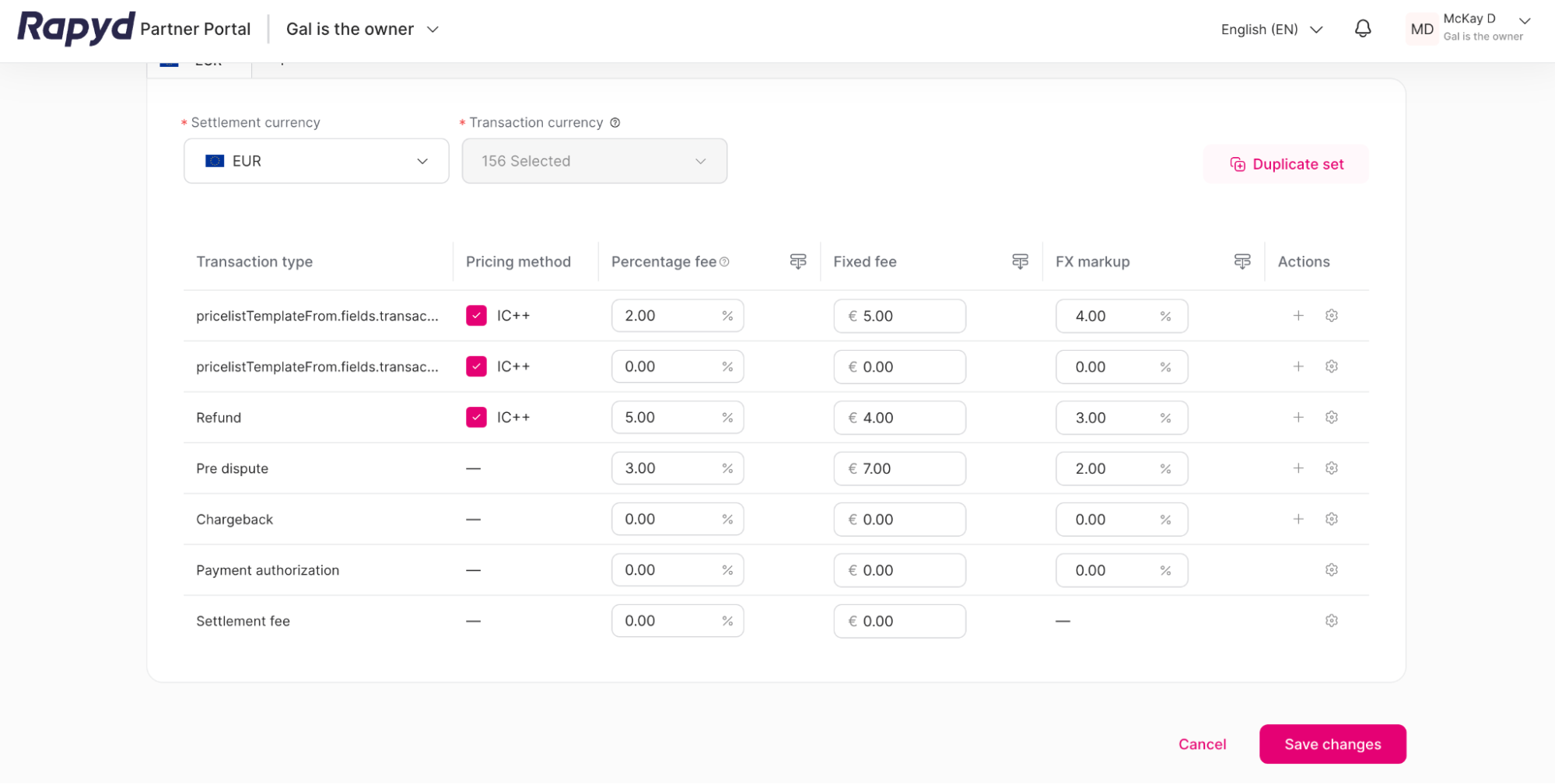
For the pricing set, you can change the following:
Pricing method
Percentage fee
Fixed fee
FX markup
(Optional) You can add currency sets by clicking the + symbol near the tab at the top of the page. Delete the currency set by clicking the x button on the tab.

When you are satisfied with your changes, click the Save changes button at the bottom of the page.
The Offering summary window appears.
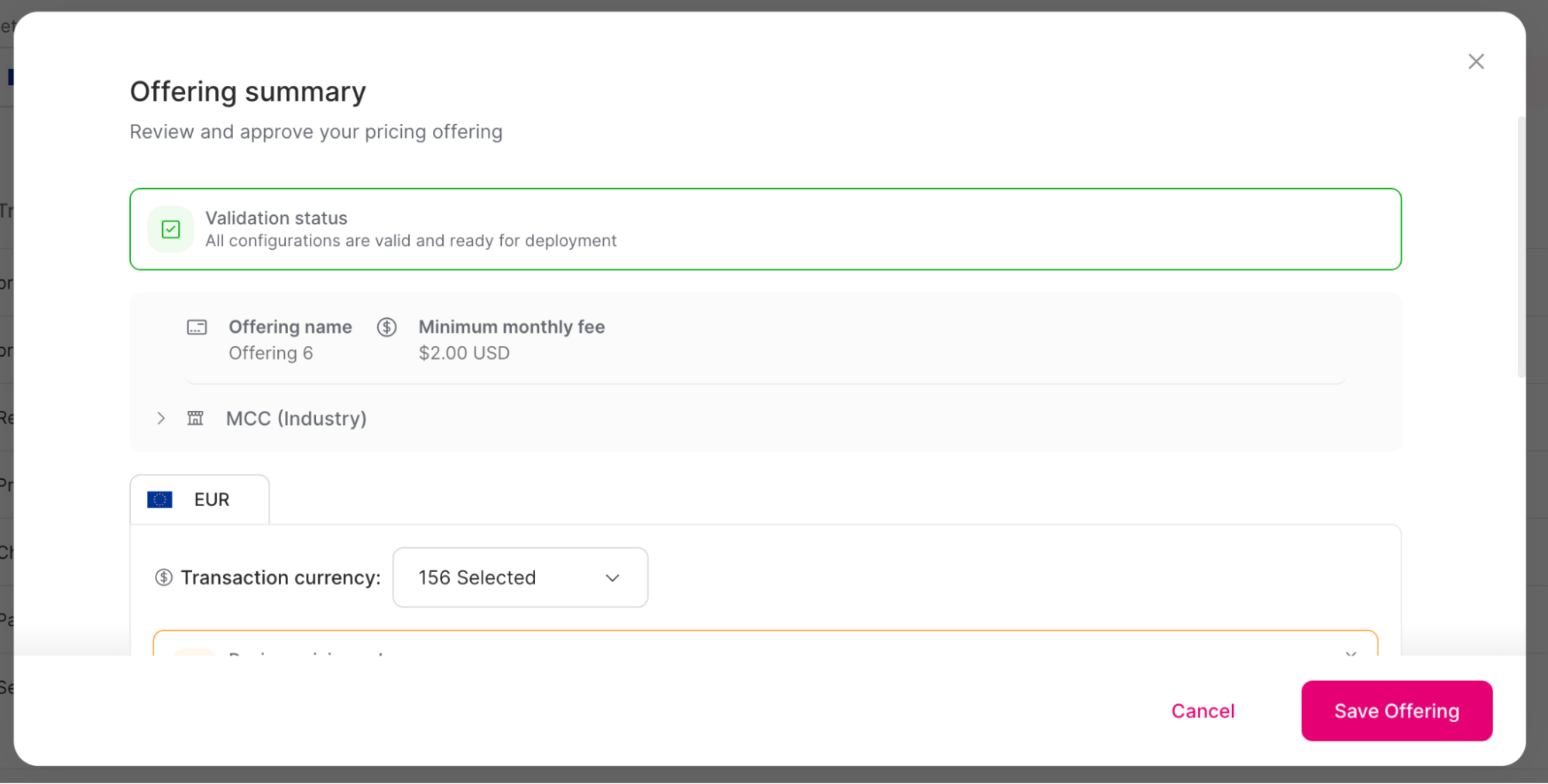
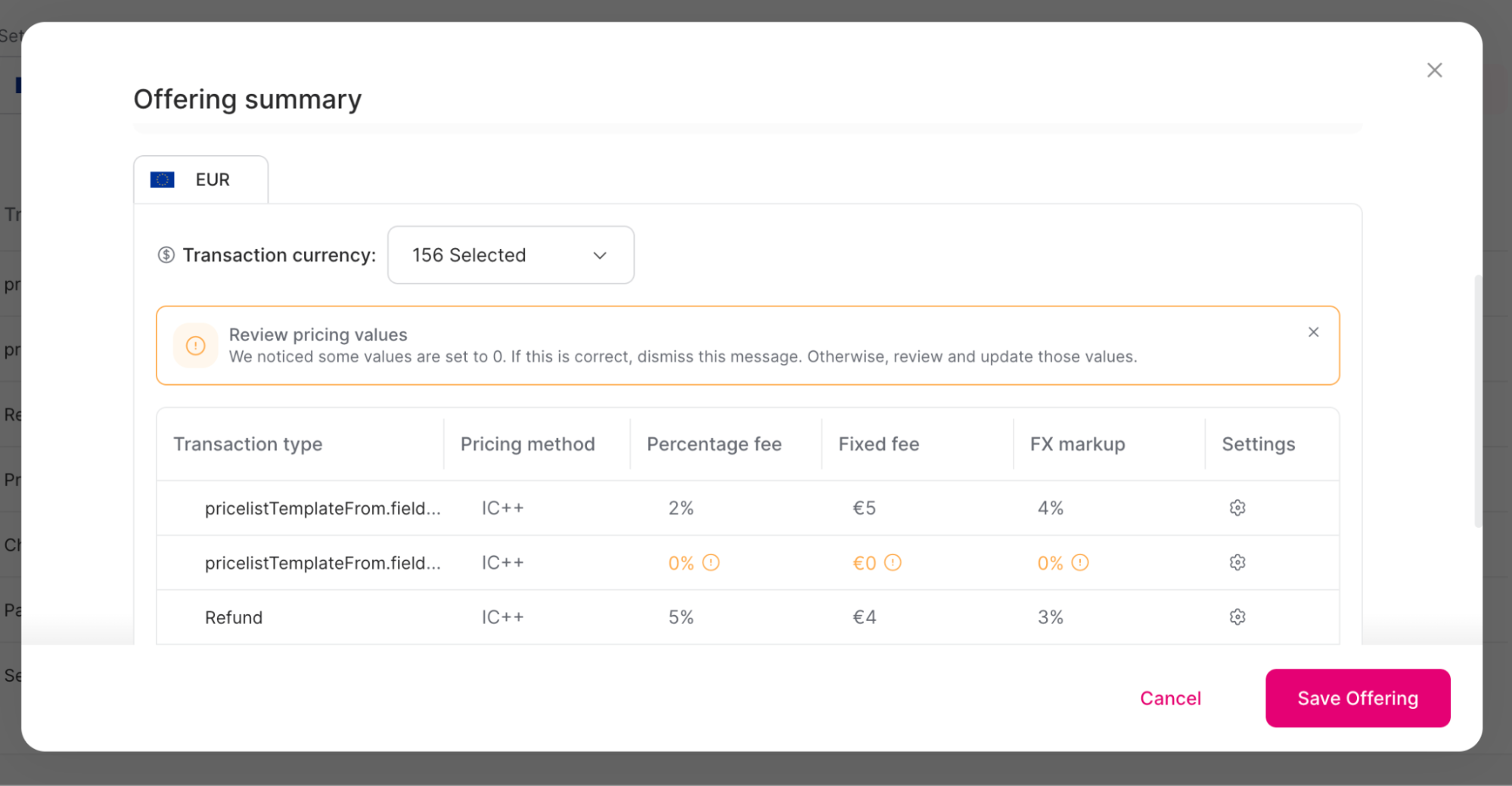
Scroll down to review all of the offering details.
Click Save Offering.
The success window appears. Your offering is updated.
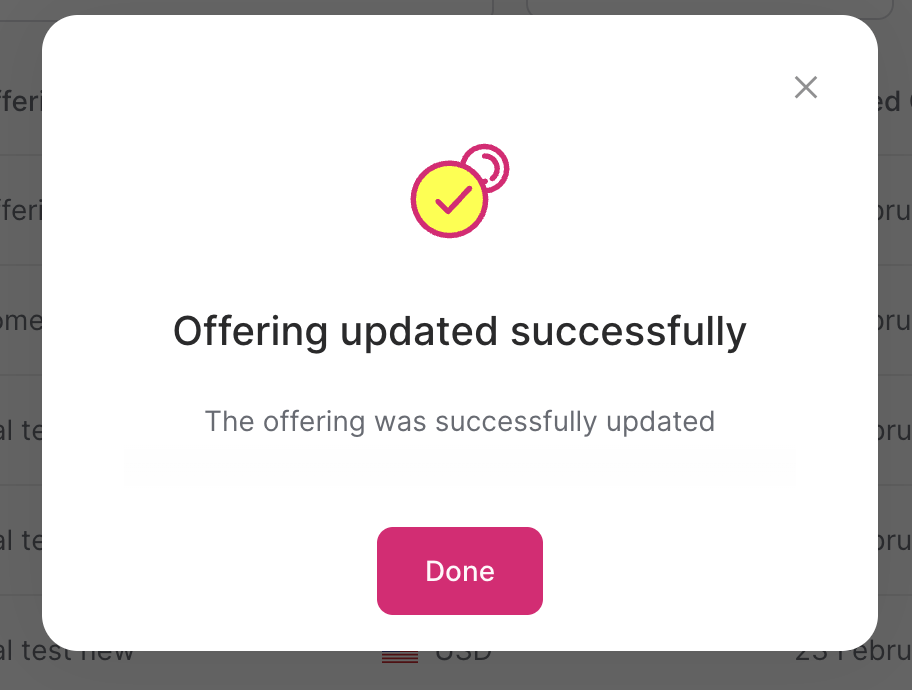
Click Done.