Viewing Your Settlements
You can view the settlements made from your account, including the destination, amount, currency, and status of each settlement.
This procedure requires Admin or Owner privileges.
How to View Your Settlements
Sign in as described in Signing In to the Client Portal and navigate to My Account > Settlement.
The Settlement page appears, listing all settlements for your account.
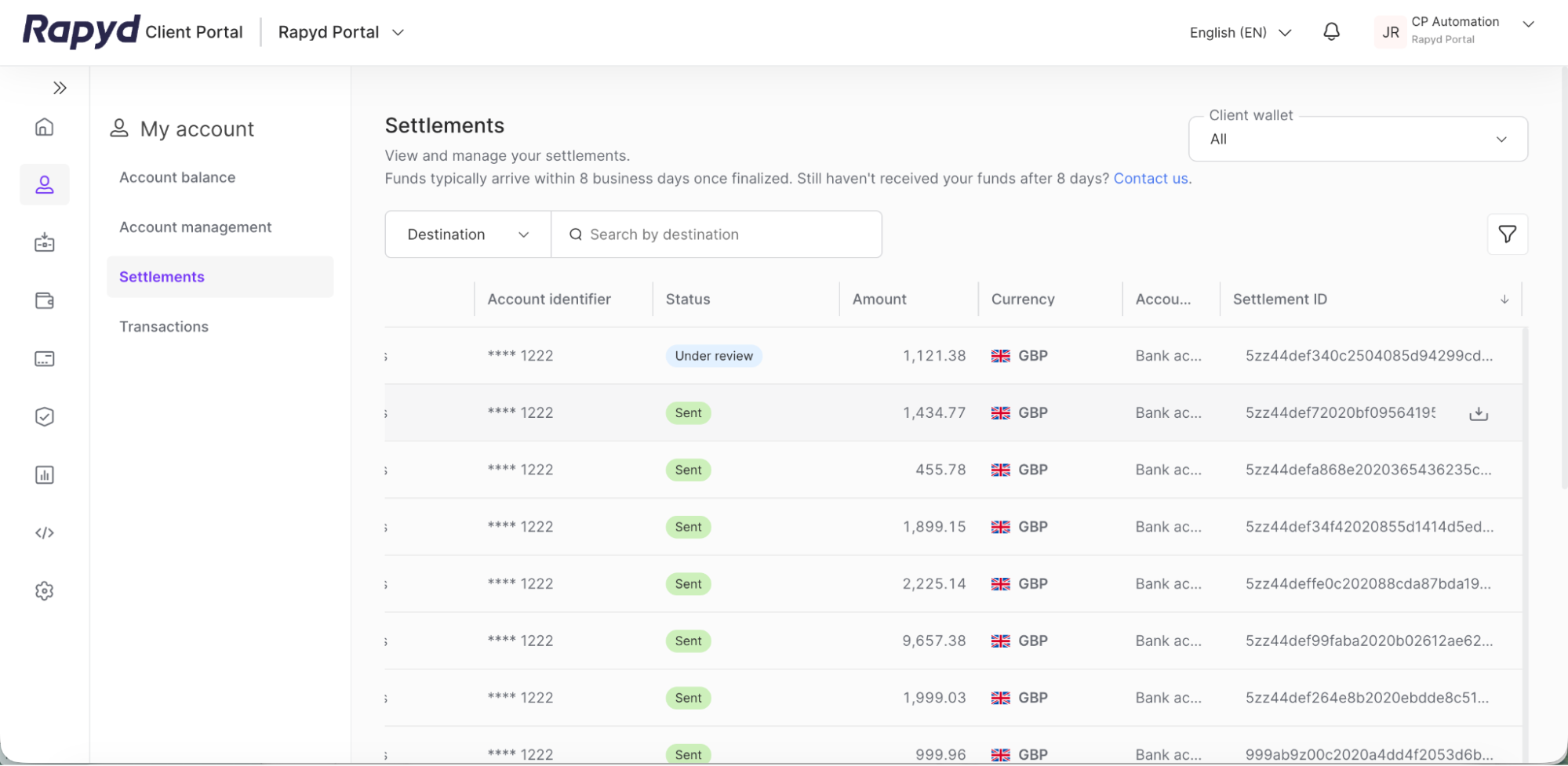
Review the settlements in the table. See the table below for details on each column:
Description of Fields
Field
Description
Destination
The bank account, crypto wallet, or other payout destination that the settlement was sent to.
Account Identifier
The masked account number or wallet address of the destination account.
Status
The current state of the settlement. See Settlement Statuses below.
Amount
The amount of the settlement.
Currency
The currency of the settlement.
Account Type
The type of destination account, for example Bank account or Crypto.
Settlement ID
The unique ID of the settlement, prefixed with RPY-. Settlements that have not yet been assigned an ID show a dash (-).
The following table lists the settlement statuses:
Settlement Statuses
Status
Description
Sent
The settlement was sent to the destination account.
Processing
The settlement is being processed before it is sent.
Returned
The settlement was returned by the destination bank or account.
Cancelled
The settlement was cancelled and was not sent.
How to Download a Proof of Payment
You can download a proof of payment file for a settlement directly from the Settlement page.
Navigate to the Settlement page as described above.
Hover over the row of the settlement you want. A download icon appears next to the Settlement ID.
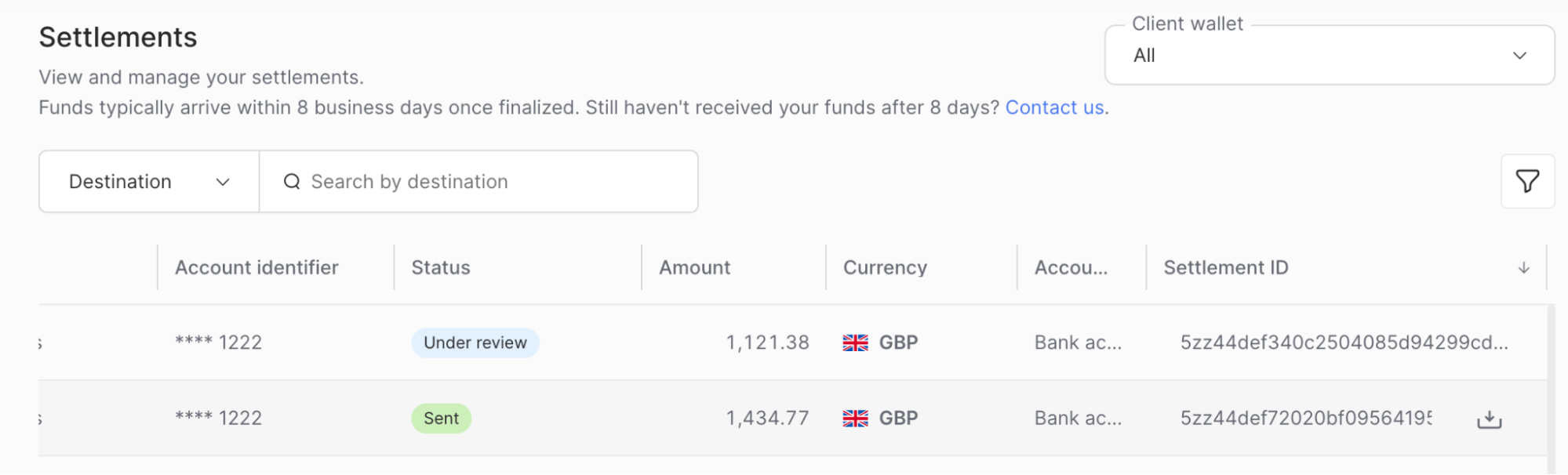
Click the download icon.
The proof of payment file for that settlement downloads to your computer.
Note
The download icon is only available for settlements that have a Settlement ID.