Configuring the Payment Terminal
Customize the appearance and behavior of the terminal.
How
From the main menu of the Rapyd App, select Settings.

The Settings screen appears.
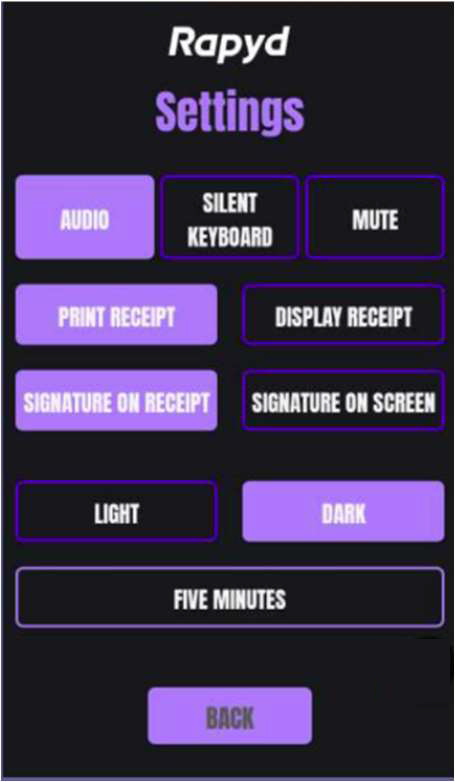
Do one of the following:
To configure keystroke sounds and alerts, choose one of the following:
Audio - Keystroke sounds and alerts are audible.
Silent Keyboard - Alerts are audible.
Mute - Keystrokes and alerts are silent.
To configure the printing of receipts, choose one of the following:
Print Receipt - Receipts are printed for all transactions.
Display Receipt - Receipts are printed on demand.
To configure the screen colours, choose one of the following:
Light - The screen background is white.
Dark - The screen background is black.
To configure the amount of time before the screen lapses to sleep mode, tap the time notation.
The Select off timer screen appears.
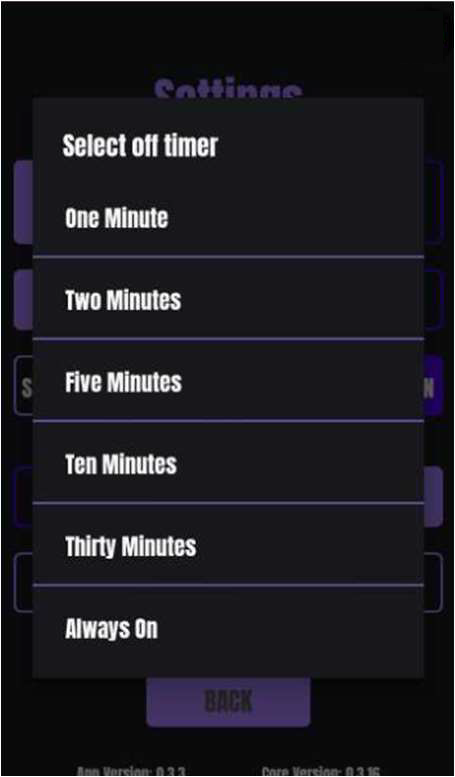
Tap the time you want.