Visualización de las liquidaciones de comercios
Vea una lista consolidada y de solo lectura de las liquidaciones de todos los comercios que administra, sin necesidad de iniciar sesión en cada cuenta de comercio de forma individual.
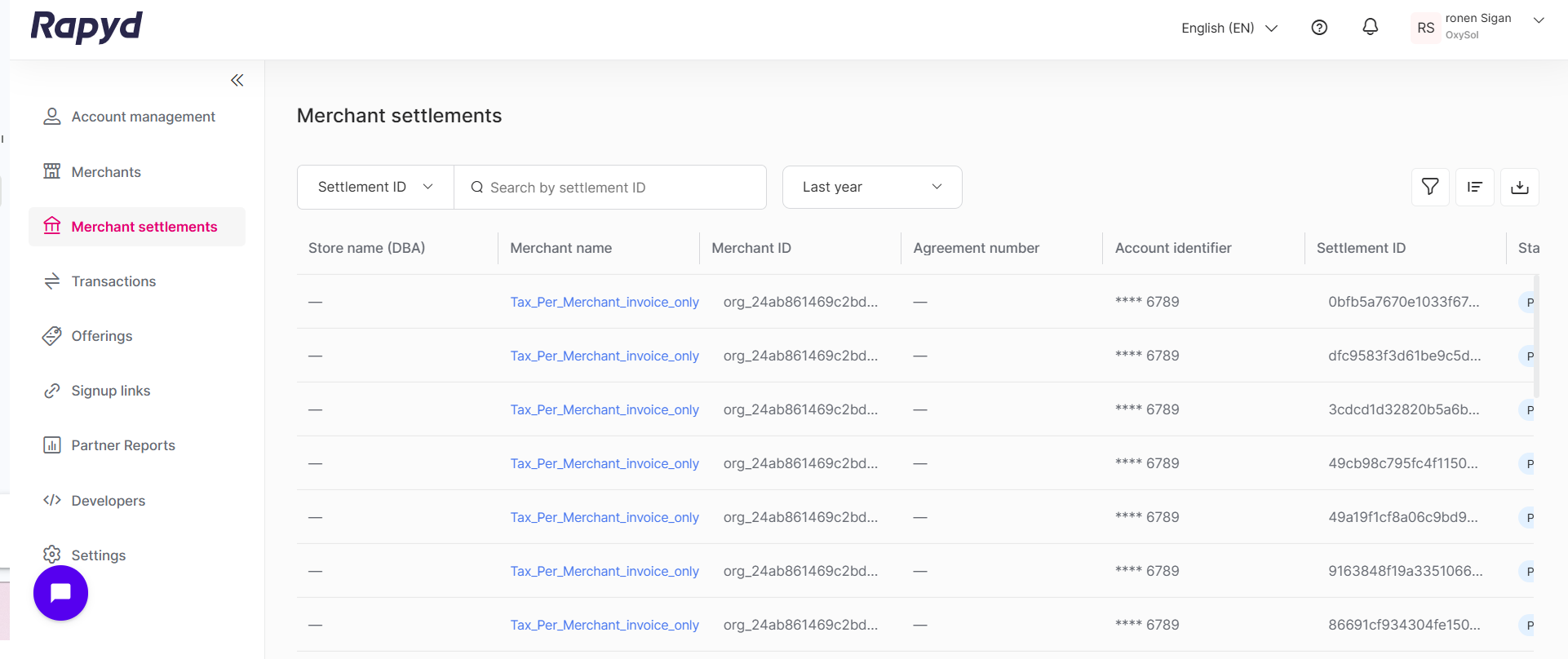
Inicie sesión como se describe en Iniciar sesión en el Portal de Socios y vaya a la pestaña Liquidaciones de comercios. Aparece la página Liquidaciones de comercios, que muestra las liquidaciones de toda su cartera de comercios en orden cronológico.
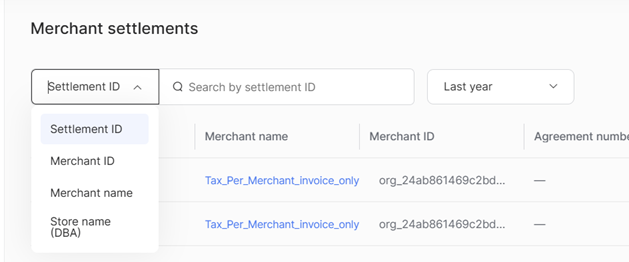
Haga clic en el menú desplegable en la parte superior de la página y seleccione el campo por el que desea buscar:
ID de liquidación
ID de comercio
Nombre del comercio
Nombre del establecimiento (DBA)
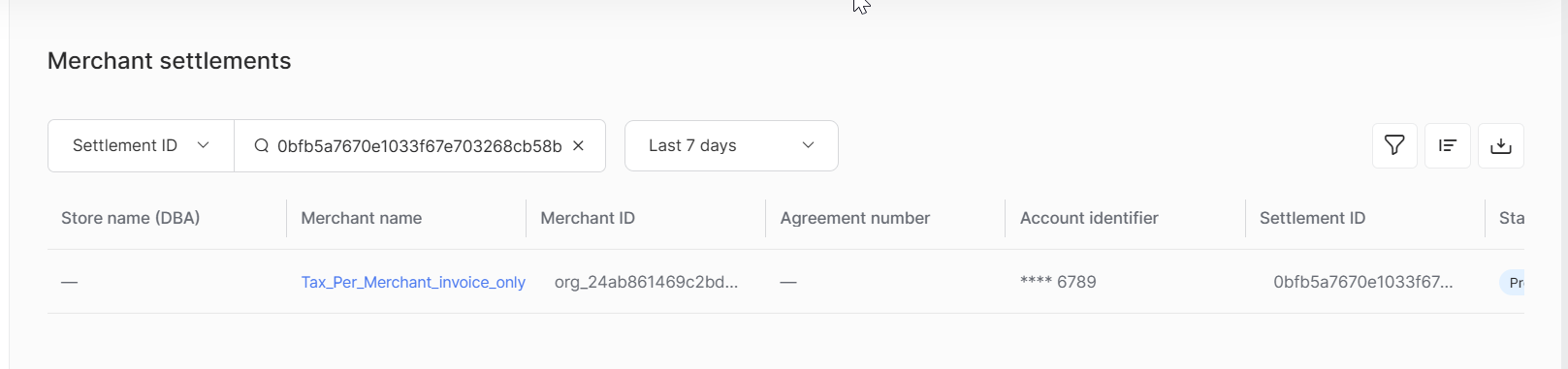
Escriba un valor en el campo Buscar y presione Entrar para aplicarlo.
Nota
También tiene la opción de seleccionar un período de tiempo para la búsqueda.
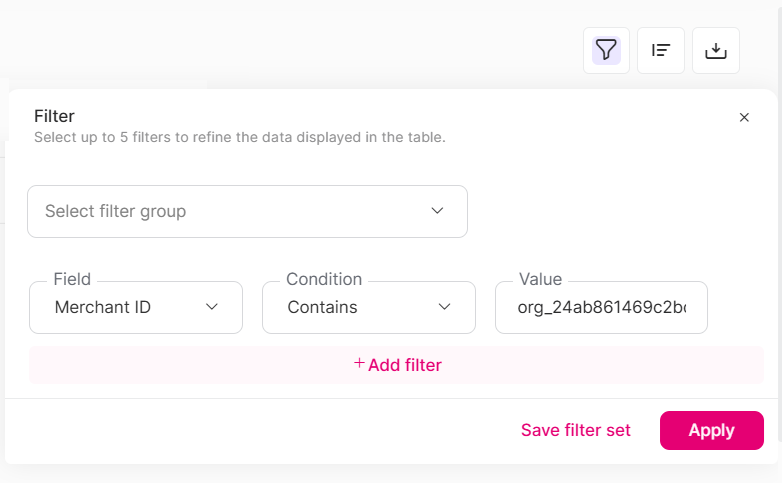
En el panel Filtro, cree una o más reglas de filtro para refinar los datos que se muestran en la tabla. Puede aplicar hasta 5 reglas de filtro a la vez.
Seleccionar grupo de filtros - seleccione un conjunto de filtros guardado previamente para aplicarlos todos a la vez.
Campo - seleccione la columna por la que desea filtrar, como Tipo de cuenta, Número de acuerdo, Cancelada el, Moneda, Destino, ID de comercio o Nombre del comercio.
Condición - elija cómo se compara el campo: Es igual a, No es igual a, Contiene, No contiene o No está vacío.
Valor - ingrese el valor con el que se hará la comparación. Este campo no es obligatorio cuando la condición es No está vacío.
+ Agregar filtro - agregue otra regla. Varias reglas se combinan con Y, por lo que una fila se muestra solo cuando cumple todas las reglas.
Icono Papelera - elimine una regla.
Guardar conjunto de filtros - almacene los filtros actuales como un grupo reutilizable.
Aplicar - filtre la tabla usando las reglas actuales.
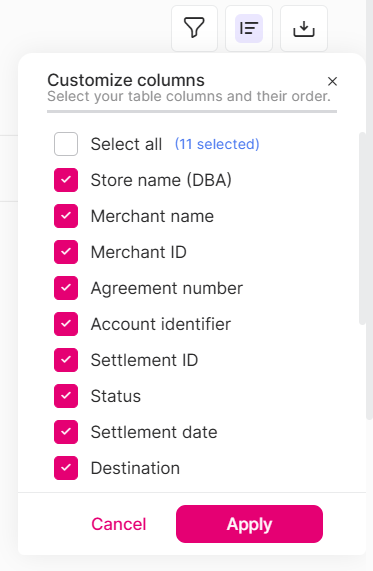
Haga clic en el icono Personalizar columnas para mostrar, ocultar o reordenar cualquiera de las columnas disponibles. El diseño de sus columnas se guarda en su perfil de usuario y se conserva la próxima vez que inicie sesión.
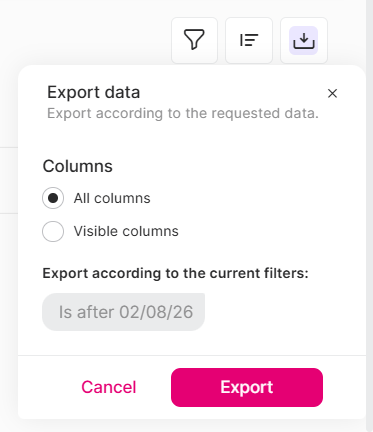
Haga clic en el icono Exportar y seleccione Todas las columnas o Columnas visibles para descargar un CSV de las liquidaciones que coinciden con su búsqueda y filtros actuales. Los valores enmascarados (como el IBAN) permanecen enmascarados en el archivo exportado.
Haga clic en cualquier nombre de comercio de una fila específica para abrir su panel de detalles.

En la siguiente tabla se describen los campos disponibles en la página Liquidaciones de comercios. Los campos se pueden mostrar, ocultar y reordenar mediante la opción Personalizar columnas.
Campo | Descripción |
|---|---|
ID de comercio | ID del comercio al que pertenece la liquidación. Cadena que comienza con |
Nombre del comercio | El nombre del comercio. |
Nombre del establecimiento (DBA) | El nombre comercial con el que opera el comercio ("Doing Business As", DBA). |
Número de acuerdo | El número de acuerdo asociado con la liquidación, si corresponde. |
Fecha de liquidación | La fecha en que se programó el envío de la liquidación al comercio. |
ID de liquidación | El ID de referencia único de la liquidación. Haga clic en el icono de copiar junto al ID para copiarlo al portapapeles. |
Destino | La cuenta bancaria o el destino al que se envió la liquidación. |
Identificador de cuenta | El identificador de la cuenta de destino. Enmascarado por seguridad. |
Moneda | La moneda de la liquidación. |
Monto de la liquidación | El monto total de la liquidación. |
Estado | El estado actual de la liquidación. Valores posibles:
|
Tipo de liquidación | Cómo se financió la liquidación, por ejemplo, Liquidación por Rapyd. |
Tipo de cuenta | El tipo de cuenta de destino al que se envió la liquidación, por ejemplo, Cuenta bancaria. |
Enviada el | La fecha en que se envió la liquidación a la cuenta de destino. |
Devuelta el | La fecha en que el banco receptor devolvió la liquidación, si corresponde. |
Cancelada el | La fecha en que se canceló la liquidación, si corresponde. |
En proceso el | La fecha en que la liquidación comenzó a procesarse. |
El acceso a Liquidaciones de comercios está limitado a los usuarios con el rol de Editor, Administrador de Cumplimiento, Administrador o Propietario. Los usuarios sin acceso no verán la pestaña Liquidaciones de comercios en la navegación, y el acceso directo mediante URL estará bloqueado.